Arc Forum Navigation
Hey all!
Welcome back to this week’s blog, where we will highlight yet another Arc feature you may be unfamiliar with. This week we’re going to be looking at accessing the forums within Arc.
Before we get started, make sure you have already installed Arc. You can do so by clicking below:

Now that you have Arc, let’s get started. There are currently two ways to access the forums within Arc.
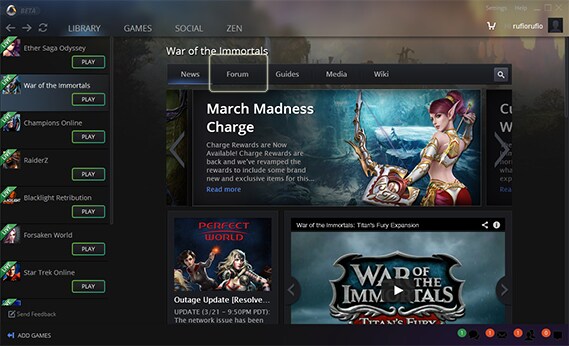
1: If you already have your game installed, simply click Library, and select the game from the left panel. When you do, the Arc page will change to show you all of that games’ news, guides, etc. Simply click Forum at the top and you will be directed to that game forum!
2: Don’t have the game installed but want to view their forums? No problem. With Arc open, click on GAMES at the top. Find the game you are interested in and click Learn More, by hovering over the game picture. From here mouse on over to the right and click Forum, next to Game Guide and News.
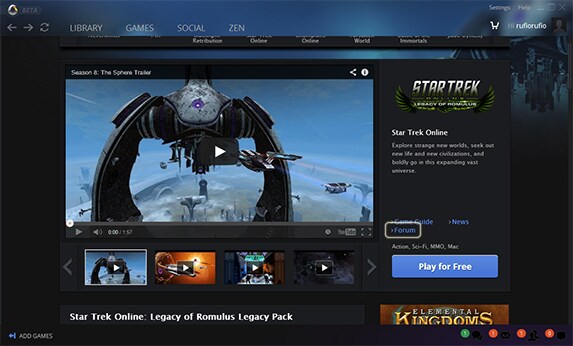
That’s it! You can now successfully navigate to any game forum you chose!
Remember to submit feedback here feedback@arcgames.com
Like us on Facebook or follow us on Twitter!
Sincerely,
Sparkiesoft and the Arc Team
Actus
-
Suivez-nous
-
Balises populaires
dev-blog arc-news press-release arc-steam arc-upcoming arc-patch-nogtes